
Get Started with Adobe Photoshop
Take your first steps into the world of image editing and creation.
Course overview
If you’re new to Adobe Photoshop, our Getting Started with Photoshop course is the ideal introduction to image editing and creative workflows.
Across the two sessions, you’ll learn how to navigate Photoshop’s interface, personalise your workspace, open and move around your images, and make quick adjustments. You’ll then explore how to prepare images for print and online use, work with layers and adjustment layers, and apply effective colour and tone corrections.
Upcoming Short Courses

Mon 04 Jan 2027
4th & 5th January | 18:00 -21.00 | £125
Get Started with Photoshop - Early January 2027
Online
This short course over 2 evenings in Jan 2026 is a great first step into the world of image editing ...

Tue 26 Jan 2027
26th Jan & 2nd Feb | 18:00 – 21:00 | £125
Get Started with Photoshop - Late January 2027
Online
If you’re new to Adobe Photoshop, this 2-part course is a great first step into the world of image...
Tue 06 Apr 2027
6th & 7th April | 18:00 – 21:00 | £125
Get Started with Photoshop - April 2027
Online
If you’re new to Adobe Photoshop, this 2-part evening course is a great first step into the world ...
Mon 31 May 2027
Monday | 09.00 - 16.00 | £125
Get Started with Photoshop - May 2027
Online
If you’re new to Adobe Photoshop, this one day course is a great first step into the world of imag...
If no upcoming Short Courses are displayed above, get in touch with us for more information.
Apart from our Short Courses for 14-17 Year Olds, all of our Short Courses are for adults 18+.
Course details
By the end of the course, students will have a solid understanding of Photoshop’s core tools and features. They will feel confident navigating the workspace, making essential adjustments, and using non-destructive editing techniques. Students will also understand how to prepare images correctly for both print and digital platforms, giving them the skills to enhance and edit their own images with ease.
- Understand what Photoshop is and what it can do
- Explore the Photoshop workspace and panels
- Personalise settings to suit your workflow
- Open images and navigate using zooming and panning
- Apply quick tonal and colour adjustments
- Undo steps using different methods
- Save work correctly and export images for web or print use
- Check image quality and resolution for print
- Optimise images for web and social media
- Learn how layers and adjustment layers work
- Improve tone and colour using Curves, Hue/Saturation, and Vibrance
- Apply adjustments to a single layer using clipping
- Use the Camera Raw Filter for exposure fixes and noise reduction
- Make targeted edits using the Adjustment Brush
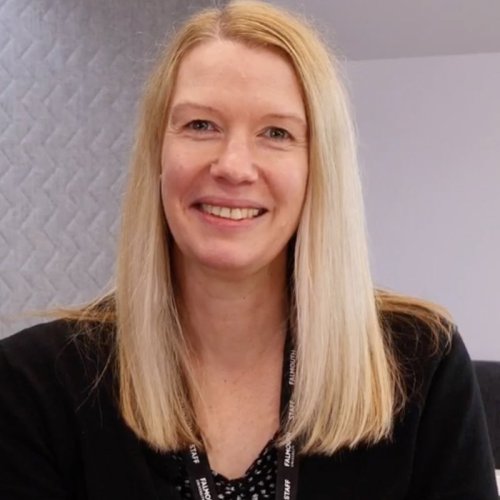
Lisa Wallace - Course Lead
Lisa joined Falmouth University as a Digital Skills Trainer in 2019 and delivers a wide range of digital skills courses to students, staff, and external delegates. Her key areas of expertise include Photoshop, InDesign, Premiere Rush, Adobe Express, and Canva. With a background in graphic design, Lisa brings industry knowledge and valuable design and layout skills to her training sessions.
Find out moreHow you'll learn
Our online short courses are delivered through Canvas, our online learning platform, with scheduled tutor-led sessions delivered through BigBlueButton, a browser-based online meeting tool, ensuring a seamless learning experience. Each session begins with a live online session where the tutor introduces the topic and guides learners through the course materials. Learning is supported through a range of methods, including videos and practical exercises, with tutors available throughout the session to provide guidance and answer questions. Our blended teaching approach combines live tutor support with high-quality online learning resources, creating an engaging and supportive learning experience.
Read our short course terms & conditions
How to apply
| Tuition fees per individual |
£150* |
|---|
*If you're a student or staff different fees apply. Please visit our dedicated student and staff areas for specific information.
To apply for this course, make your selection from the available dates below, this will take you to an event page where you will be able to book yourself onto the course via the Book now link.
Upcoming Short Courses
Mon 04 Jan 2027
4th & 5th January | 18:00 -21.00 | £125
Get Started with Photoshop - Early January 2027
Online
This short course over 2 evenings in Jan 2026 is a great first step into the world of image editing ...
Tue 26 Jan 2027
26th Jan & 2nd Feb | 18:00 – 21:00 | £125
Get Started with Photoshop - Late January 2027
Online
If you’re new to Adobe Photoshop, this 2-part course is a great first step into the world of image...
Tue 06 Apr 2027
6th & 7th April | 18:00 – 21:00 | £125
Get Started with Photoshop - April 2027
Online
If you’re new to Adobe Photoshop, this 2-part evening course is a great first step into the world ...
Mon 31 May 2027
Monday | 09.00 - 16.00 | £125
Get Started with Photoshop - May 2027
Online
If you’re new to Adobe Photoshop, this one day course is a great first step into the world of imag...
If no upcoming Short Courses are displayed above, get in touch with us for more information.
Apart from our Short Courses for 14-17 Year Olds, all of our Short Courses are for adults 18+.