
From Beginner to Master: InDesign
A series of InDesign courses, designed to take you from novice to master.
Course overview
Our comprehensive series of InDesign courses are specifically designed to take you from a novice to an intermediate and advanced user.
These courses are structured to provide a comprehensive learning experience, starting from the absolute basics and progressing to an intermediate advanced level. Each course is modular and can be taken as a standalone class, allowing flexibility for learners based on their individual needs and prior knowledge.
For those who already have some knowledge of InDesign and wish to join in at the 'Beginners: The Next Step' or higher levels, we require the completion of a short questionnaire. This assessment will help ensure the course content is appropriate for your skill level and learning goals.
Visit our Digital Skills page to explore a range of similar short courses available.
Overviews of each course level option
If you’re new to Adobe InDesign, our Getting Started with Adobe InDesign course provides a clear and practical introduction to creating professional layouts for print and digital use.
Across two hands-on sessions, you’ll be introduced to the InDesign interface and learn how to confidently set up documents, navigate the workspace, and manage files. You’ll then move on to building pages using text, images and colour, gaining a solid foundation in the core tools needed to start designing with confidence.
Course Details and Outline:
After attending the Getting Started with Adobe InDesign course, attendees will have a strong understanding of InDesign’s purpose, capabilities, and essential workflows. They will be able to create and edit documents for both print and digital formats, work comfortably within the workspace, and apply core layout techniques.
Participants will learn how to add and format text, place and adjust images using appropriate file formats, apply colour to page elements, and export a simple print-ready PDF. By the end of the course, attendees will be equipped with the fundamental skills needed to begin creating clear, well-structured layouts using Adobe InDesign.
Session One (3 hours)
Introduction to InDesign & Document Setup
• Understand what InDesign is and what it’s used for
• Explore and navigate the InDesign workspace
• Personalise essential settings
• Open, view, save and close documents
• Create new documents for print and digital use
• Make changes to your document
• View documents in different ways
Session Two (3 hours)
Building Pages: Text, Images & Core Tools
• Populate a page with text
• Apply basic text formatting
• Place images using correct file formats
• Resize and fit images within frames
• Select, move and align frames together
• Apply colour to elements within a document
• Export a simple PDF for print
The Go Further with Adobe InDesign course is designed for those who already have a basic understanding of InDesign and want to build on their existing skills using more advanced tools and techniques.
Through a mix of practical exercises and guided instruction, you’ll develop greater control over text, styles, images, shapes and colour. This course focuses on improving efficiency, consistency and accuracy when working on more complex layouts.
Course Details and Outline:
After attending the Go Further with Adobe InDesign course, participants will deepen their understanding of InDesign’s more advanced features and workflows. They will learn how to manage longer blocks of text using styles, improve typography, and work more confidently with images, shapes and colour.
Attendees will gain skills that support more polished, professional layouts, including checking image quality, editing and combining shapes, managing linked assets, and preparing documents correctly for print by adding bleed.
Session One (3 hours)
Working With Text and Styles
• Create columns within text frames
• Understand type spacing terms: kerning, tracking and leading
• Thread text between text frames
• Wrap text around frames and objects
• Master advanced text formatting using paragraph and character styles
• Use Find/Change to quickly edit and update text throughout a document
Session Two (3 hours)
Working with Graphics, Shapes & Colour
• Check image resolution for print output
• Flip images within their frames
• Manage images using the Links panel
• Edit shapes and paths
• Use Pathfinder tools to combine and manipulate shapes
• Create and apply colour using the Colour Theme tool
• Add bleed to a document
Take your Adobe InDesign knowledge further with this advanced course, designed to help you work more efficiently and confidently on complex layouts.
This course focuses on refining layout control, improving organisation through parent pages and layers, and enhancing designs using effects. You’ll also develop greater precision when working with objects and tables, enabling you to create structured, professional documents suitable for more demanding design projects.
Course Details and Outline
After attending the Propel Your InDesign Skills to the Next Level course, participants will have a deeper understanding of advanced layout techniques and workflow improvements within InDesign. They will learn how to manage colours consistently, structure documents using grids and parent pages, and apply visual effects to enhance layouts.
Attendees will also gain confidence working with object styles, alignment tools and tables, allowing them to produce well-organised, polished documents that meet professional design standards.
Session One (3 hours)
Layouts, Parent Pages & Effects
• Manage document colours effectively
• Use the Effects panel, including transparency, shadows, glow and feathering
• Organise documents using layers
• Create and work with parent pages
• Use a simple grid to build structured layouts
Session Two (3 hours)
Object Control, Alignment & Tables
• Align, distribute and group objects accurately
• Create, apply and modify object styles
• Create and edit tables in InDesign
• Add colour to tables
• Convert and manage header rows for tables
Please note: To enrol in this course, attendees must have completed "Getting Started," "Go Further," and "Propel Your Skills to the Next Level" in the same subject. Additionally, there is a mandatory fee of £90 for the ACP exam and support materials, payable before the course begins. These prerequisites and fees are required to ensure participants are well-prepared and can fully benefit from the course content.
__
Overview
Take your InDesign knowledge and skills to the next level, explore the topic of interactivity within the application and learn how to create engaging interactive documents, then go on to discover how to preflight, archive and export your documents, picking up tips to speed up your workflow, along the way.
Course details and outline
After completing the InDesign Mastery course, participants will achieve a high level of proficiency in Adobe InDesign. They will master advanced features such as incorporating interactivity into a document and archiving, preflighting and exporting projects efficiently.
By the end of the course, they will be confident in their ability to push creative boundaries and handle any InDesign challenge with mastery.
Session One (3 hours)
- Design interactive documents
- Create interactive document navigation
- Add animations and multimedia elements to a layout
- Create and add in hyperlinks
- Build web and navigation links using buttons
- Publish documents online and share content
Session Two (3 hours)
- Check and fix errors using a Preflight method
- Create custom 'preflight' checks to ensure clean and reliable output
- Package and archive documents
- Add metadata file info into documents to protect them
Eligibility or prerequisites
We require the completion of a short questionnaire. This assessment will help ensure the course content is appropriate for your skill level and learning goals.
Upcoming Short Courses

Wed 21 Oct 2026
21 & 28 October 18.00-21.00 | £125
Get Started with InDesign - Autumn
Online
Learn all the basics on our Adobe InDesign course.
Wed 04 Nov 2026
04 & 11 November, 18:00-21:00 - Price: £125
Go Further With InDesign - Autumn
Online
After attending the Go Further with Adobe InDesign course, participants will deepen their knowledge ...
Wed 18 Nov 2026
18 & 25 November 18.00-21.00 | Price: £125
Propel your InDesign Skills - Autumn
Online
Enhance your InDesign skills even further with this course.
Mon 25 Jan 2027
25th Jan & 1st Feb | 18:00 - 21:00 | £125
Get Started with InDesign - January 2027
Online
If you’re new to Adobe InDesign, our Adobe InDesign course is a great first step into the world of...
Mon 14 Jun 2027
Monday | 09.00-16.00 | £125
Get Started with InDesign - June 2027
Online
If you’re new to Adobe Indesign, our Get Started short course is a great first step into the world...
If no upcoming Short Courses are displayed above, get in touch with us for more information.
Apart from our Short Courses for 14-17 Year Olds, all of our Short Courses are for adults 18+.
Course details
What you'll learn
This course provides the user with all the training required to be confident in using Adobe InDesign - the industry leading page design and layout tool, to create various documents, ranging from single page flyers, to more complex multi page brochures and presentations.
By taking this course, users will gain a good working knowledge of the InDesign programme.

Lisa Wallace - Course Lead
Lisa joined Falmouth University as a Digital Skills Trainer in 2019 and delivers a wide range of digital skills courses to students, staff, and external delegates. Her key areas of expertise include Photoshop, InDesign, Premiere Rush, Adobe Express, and Canva. With a background in graphic design, Lisa brings industry knowledge and valuable design and layout skills to her training sessions.
Find out moreWhat to expect
- Engaging content
- A variety of different ways to learn
- Clear guidelines to work through the practice exercises
- Constructive feedback from tutors on your submitted work
- Technical assistance from your tutors
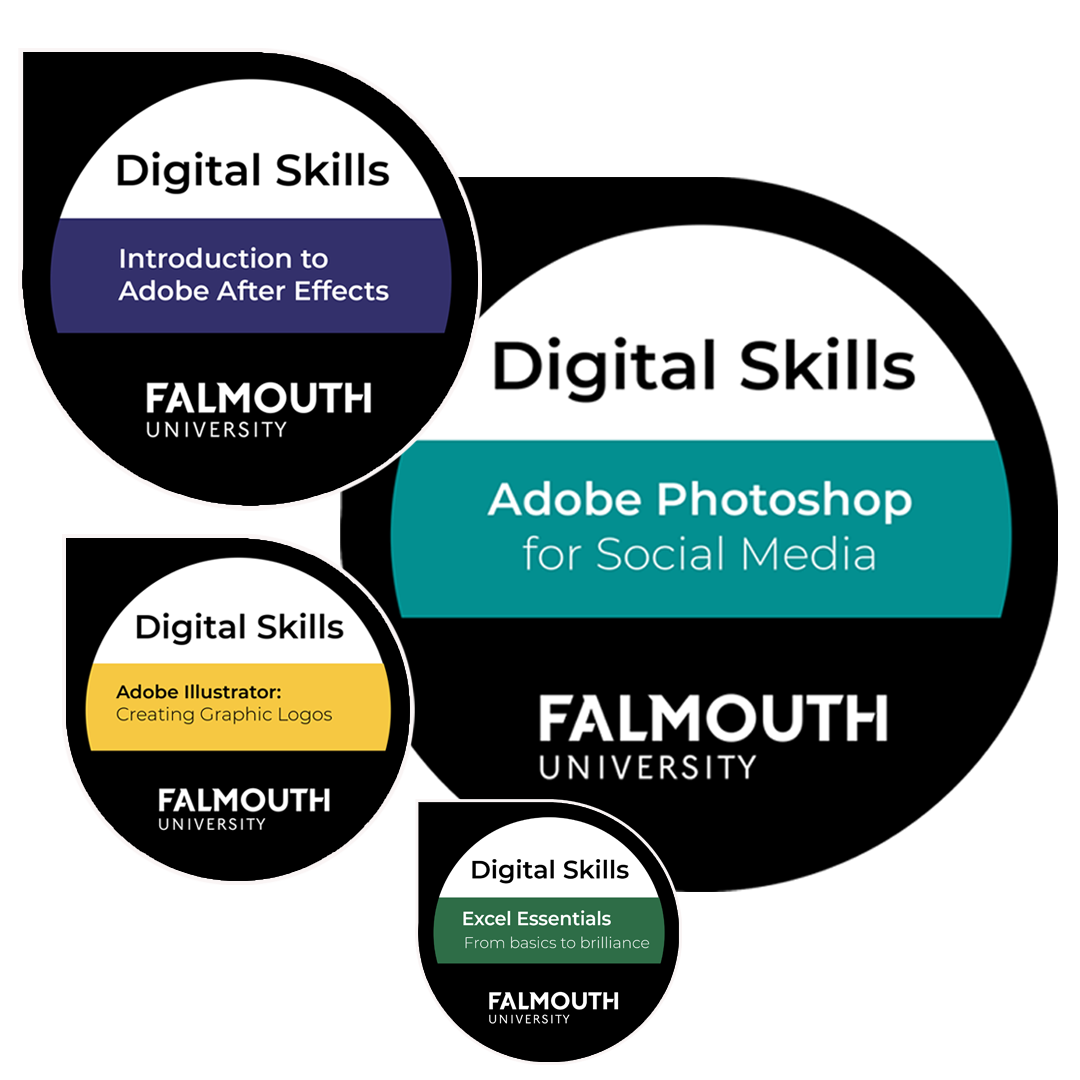
Digital badges
Digital badges are a great way to celebrate your achievements and stand out from the crowd, and are awarded to all learners who successfully complete a course and all associated learning activities*.
So whether it's obtaining the skills needed to create a promotional video using Adobe Premiere Pro or the ability to successfully use formulae in Microsoft Excel.
Our digital short courses play a unique role in helping to upskill or re-skill to be more competitive in the job market. Sharing your digital badge on employability websites such as LinkedIn or on your CV can showcase your range of learning achievements to potential employers.
You will also attain a digital badge from Adobe or Microsoft when successfully completing the exams on our ACP & Microsoft Office Suite Certification Courses.
*Once you have demonstrated capability according to specific criteria established for the badge, you will automatically, become eligible to claim a badge for that course.
How you'll learn
Our online short courses are delivered through Canvas, our online learning platform, with scheduled tutor-led sessions delivered through BigBlueButton, a browser-based online meeting tool, ensuring a seamless learning experience. Each session begins with a live online session where the tutor introduces the topic and guides learners through the course materials. Learning is supported through a range of methods, including videos and practical exercises, with tutors available throughout the session to provide guidance and answer questions. Our blended teaching approach combines live tutor support with high-quality online learning resources, creating an engaging and supportive learning experience.
Explore our Adobe courses

Illustrator ACP
Take advantage of the precision of sophisticated drawing tools, natural brushes, and a host of time-...

Premiere Pro ACP
Build the skills to edit digital video using Adobe Premiere Pro.

After Effects ACP
This course will enhance your digital skills in the competitive job market.

InDesign ACP
Learn to create professional layouts for web, print or mobile devices using Adobe Indesign.

Photoshop ACP
Learn to edit imagery for web, print or mobile devices using Adobe Photoshop.

From Beginner to Master: After Effects
This series of After Effects courses will enhance your digital skills in the competitive j...

From Beginner to Master: Photoshop
This series of Photoshop courses will enhance your digital skills in the competitive job m...

From Beginner to Master: Premiere Pro
This series of Premiere Pro courses will enhance your digital skills in the competitive jo...

From Beginner to Master: Illustrator
This series of Illustrator courses will enhance your digital skills in the competitive job...
Read our short course terms & conditions
How to apply
To apply for this course, make your selection from the available dates below, this will take you to an event page where you will be able to book yourself onto the course via the Book now link.
Upcoming Short Courses
Wed 21 Oct 2026
21 & 28 October 18.00-21.00 | £125
Get Started with InDesign - Autumn
Online
Learn all the basics on our Adobe InDesign course.
Wed 04 Nov 2026
04 & 11 November, 18:00-21:00 - Price: £125
Go Further With InDesign - Autumn
Online
After attending the Go Further with Adobe InDesign course, participants will deepen their knowledge ...
Wed 18 Nov 2026
18 & 25 November 18.00-21.00 | Price: £125
Propel your InDesign Skills - Autumn
Online
Enhance your InDesign skills even further with this course.
Mon 25 Jan 2027
25th Jan & 1st Feb | 18:00 - 21:00 | £125
Get Started with InDesign - January 2027
Online
If you’re new to Adobe InDesign, our Adobe InDesign course is a great first step into the world of...
Mon 14 Jun 2027
Monday | 09.00-16.00 | £125
Get Started with InDesign - June 2027
Online
If you’re new to Adobe Indesign, our Get Started short course is a great first step into the world...
If no upcoming Short Courses are displayed above, get in touch with us for more information.
Apart from our Short Courses for 14-17 Year Olds, all of our Short Courses are for adults 18+.
Any questions?
If you have any questions about our Digital Skills Short Courses, get in touch with our Short Courses Team.
Staff or student?
You can access staff and student specific information about our Digital Skills courses on our dedicated sites.