
Photoshop ACP
Learn to edit imagery for web, print or mobile devices using Adobe Photoshop.
Course overview
This ACP Photoshop course takes you from complete beginner to confident, capable Photoshop user, ready to sit the Adobe Certified Professional (ACP) exam.
Across a series of structured sessions, you will build your skills step-by-step — starting with the Photoshop interface and essential tools, then progressing into image adjustments, retouching, selections, compositing, creative tools, masks, and smart objects.
Each part of the course introduces new techniques, encourages hands-on practice, and builds your understanding of Photoshop’s non-destructive workflows.
By the end of the course, you will feel confident editing images to a professional standard and prepared to take the ACP Photoshop certification exam.
Upcoming Short Courses

Mon 05 Oct 2026
| 5th October - 23rd November weekly evenings, 6-9pm | Price: £495
ACP Photoshop - Weekly Evenings Autumn
Online
Learn to edit imagery for web, print or mobile devices using Adobe Photoshop.
If no upcoming Short Courses are displayed above, get in touch with us for more information.
Apart from our Short Courses for 14-17 Year Olds, all of our Short Courses are for adults 18+.
Course details
This Adobe Photoshop course will take you from the basics of navigating the workspace through to advanced techniques used in professional editing. You’ll build a strong foundation in essential tools — including layers, adjustment layers, tonal and colour corrections, Camera Raw Filter, and targeted edits — and develop practical skills for preparing images for both print and online use. As the course progresses, you will expand your abilities with retouching tools, selection techniques, and creative methods for working with shapes, gradients, brushes, and patterns.
You will then move into more advanced, non-destructive workflows using masks, smart objects, blending modes, and layer styles to create polished, multi-layered compositions. The course finishes with focused exam preparation, giving you the opportunity to revise key skills, practise real-world tasks, and build confidence before taking the Adobe Certified Professional (ACP) Photoshop exam. By the end, you will be able to edit, enhance, and manipulate images with accuracy and creativity, ready for certification.
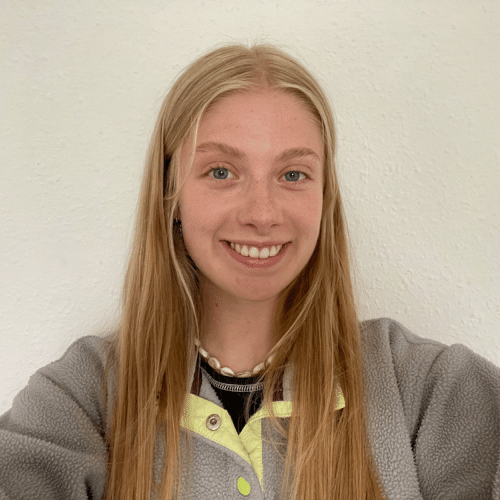
Falmouth short course student becomes Adobe Champion for UK and Ireland
Hallie Mitchell, a student who chose to study Falmouth’s Photoshop ACP short course on top of her degree, has beaten 10,000 other students to become the UK and Ireland’s Adobe Champion 2025.
Read the full storyHow you'll learn
Our online short courses are delivered through Microsoft Teams, ensuring a seamless learning experience. Each session starts with a live broadcast from the tutor to introduce the topic and guide you through the resources. Our online short courses include various learning methods such as videos, quizzes and exercises. The tutor remains available online for real-time support, making learning effective and enjoyable. Our blended teaching approach combines live and pre-recorded content, providing flexibility to learn at your own pace.
Introduction to Photoshop and Essential Tools
- Understand what Photoshop is and what it can do
- Explore the Photoshop workspace and panels
- Personalise settings to suit your workflow
- Open images and navigate using zooming and panning
- Apply quick tonal and colour adjustments
- Undo steps using different methods
- Save work correctly and export images for web or print use
Image Preparation and Essential Adjustments
- Check image quality and resolution for print
- Optimise images for web and social media
- Learn how layers and adjustment layers work
- Improve tone and colour using Curves, Hue/Saturation, and Vibrance
- Apply adjustments to a single layer using clipping
- Use the Camera Raw Filter for exposure fixes and noise reduction
- Make targeted edits using the Adjustment Brush
Healing and Retouching Techniques
- Learn how to crop and straighten images
- Explore essential retouching tools and when to use them
- Fix imperfections using the Spot Healing Brush and Patch Tool
- Remove objects with the Remove Tool and Content-Aware Fill
- Clone parts of an image using the Clone Stamp Tool
- Enhance highlights and shadows using Dodge and Burn
Mastering Selections and Sky Swaps
- Understand what selections are and why they’re essential
- Use Quick Selection and Magic Wand for fast selections
- Try Object Selection and Select Subject for automatic cutouts
- Refine edges and edit selections for accuracy
- Select and replace skies using Photoshop’s Sky tools
- Handle more complex cutouts and selection workflows
Working with Layers and Building Compositions
- Build montages and multi-layered compositions
- Manage, organise, and reorder layers effectively
- Work confidently with type layers
- Apply layer styles non-destructively
- Use blending modes, opacity, and fill
- Export individual layers as separate files
Creative Tools: Colour, Shapes & Patterns
- Remove backgrounds and fill layers with colour
- Create and style gradient layers
- Use the Brush Tool with confidence
- Explore Photoshop’s drawing and painting tools
- Create seamless repeating patterns
- Draw and edit basic shapes
- Clip images to shapes and edit shape paths
Harnessing Masks and Smart Objects
- Understand how layer masks work
- Create and refine masks for controlled editing
- Use gradient masks for smooth, targeted adjustments
- Apply clipping masks to limit edits to individual layers
- Learn what Smart Objects are and why they’re useful
- Convert layers into Smart Objects
- Understand linked vs. embedded Smart Objects
- Work with smart filters for flexible, non-destructive editing
Exam Prep and Final Review
Prepare for your certification exam with focused revision, practice tasks, and mock exams.
- Revision activities across all Photoshop topic areas
- Final preparation checklist
- GMetrix practice exams to simulate the real test environment
Key information
- Engaging content
- A variety of different ways to learn
- Clear guidelines to work through the practice exercises
- Constructive feedback from tutors on your submitted work
- Technical assistance from your tutors
This course will be delivered online via Microsoft Teams.
After the end of the course will take the Adobe Certified Professional (ACP) exam. On passing the ACP exam will earn you the Adobe Certified Associate accreditation. You'll receive a digital badge for social media platforms like LinkedIn and a digital certificate.
The ACP certification validates expertise in Adobe Premiere Pro, enhancing career prospects and boosting professional credibility. It instils confidence, serves as tangible proof of skills, and provides a competitive edge in the job market. Overall, the ACP certification supports career advancement and professional growth in digital creativity.
You will need access to a laptop/desktop computer (Mac/PC) with Adobe Photoshop installed.
If you don't have an Adobe licence, consider the following options from Adobe:
- Free one-week trial from Adobe.
- One-month single application subscription for £32.98* per month, cancel anytime.
- Annual application licence for £262.51* or monthly for £21.98* (early cancellation fees apply).
- Subscribe to all Creative Cloud apps under the same types above but for all the Adobe Creative cloud apps.
Please visit the Adobe website to find out more.
*prices are correct as of 10 September 2024
There are no entry requirements for this Adobe Photoshop course and previous experience is not necessary, however, you should be confident in the use of IT generally.
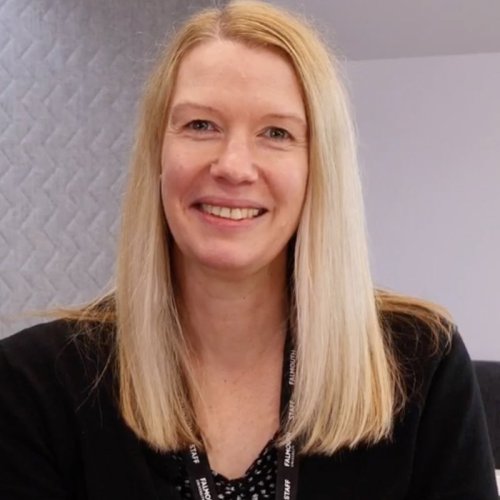
Lisa Wallace - Course Lead
Lisa joined Falmouth University as a Digital Skills Trainer in 2019 and delivers a wide range of digital skills courses to students, staff, and external delegates. Her key areas of expertise include Photoshop, InDesign, Premiere Rush, Adobe Express, and Canva. With a background in graphic design, Lisa brings industry knowledge and valuable design and layout skills to her training sessions.
Find out moreRead our short course terms & conditions
How to apply
| Tuition fees per individual |
£495* |
|---|
*If you're a student or staff different fees apply. Please visit our dedicated student and staff areas for specific information.
To apply for this course, make your selection from the available dates below, this will take you to an event page where you will be able to book yourself onto the course via the Book now link.
Upcoming Short Courses
Mon 05 Oct 2026
| 5th October - 23rd November weekly evenings, 6-9pm | Price: £495
ACP Photoshop - Weekly Evenings Autumn
Online
Learn to edit imagery for web, print or mobile devices using Adobe Photoshop.
If no upcoming Short Courses are displayed above, get in touch with us for more information.
Apart from our Short Courses for 14-17 Year Olds, all of our Short Courses are for adults 18+.
Explore our ACP courses

Adobe Express ACP
Upon completion, earn the Adobe Certified Professional credential, validating your skills and boosti...

After Effects ACP
This course will enhance your digital skills in the competitive job market.

Premiere Pro ACP
Build the skills to edit digital video using Adobe Premiere Pro.

InDesign ACP
Learn to create professional layouts for web, print or mobile devices using Adobe Indesign.

Illustrator ACP
Take advantage of the precision of sophisticated drawing tools, natural brushes, and a host of time-...